

Hello,
This week I wanted to play around with a new API, so I referred to this awesome GitHub public-apis repository which has compiled a big list of popular APIs you can integrate into your applications. You can check it out here:
https://github.com/public-apis/public-apis#art–design
After some consideration I decided on leveraging Giphy’s API for a couple reasons. I’m a really visual person so I want to use some flashy colorful GIFs in my app. Additionally the Giphy API is really easy to use and is well-documented.
I also want to show you an modern Angular library that really comes in handy for “lazy”- loading asynchronous data: Angular Infinite Scroll. You may have noticed on major sites like Facebook, Twitter, Reddit, and Youtube that the page will load more content as you continue to scroll down. This library provides the same functionality for Angular applications.
So today we’re going to build an Angular app that displays GIFs and implements infinite scrolling so we can continously load more content.
Skill Prerequisites
- Fundamental HTML and CSS/SCSS knowledge
- Experience with Angular 2+ and TypeScript.
- Familiarity with Angular Material components.
- Basic understanding of how API endpoints work (i.e. GET requests) will help.
Source Code
If you want to skip the tutorial and just have the final product, here it is:
https://github.com/LucyVeron/infinite-scroll
HINT: If you clone the repository you will need to get your own API key from Giphy. Visit Giphy’s developer site, click “Create App”, and complete the setup process to generate the key and use it in your project:
https://developers.giphy.com/docs/api/#quick-start-guide
Procedure
Alright, the initial setup will be similar to what we did when we made the Gridster app from my last tutorial. First let’s make sure we have the latest Node and npm installed on our system. Download them here:
- Node: https://nodejs.org/es/
- npm: https://www.npmjs.com/
Next we’ll set up our Angular project. Install the Angular CLI tool:
npm install -g @angular/cli
Generate a new project:
ng new infinite-scroll
Change the directory to the new project:
cd infinite-scroll
Add Angular Material:
ng add @angular/material
If the project doesn’t automatically set you up with SCSS, go ahead and change the app.compoment.css to app.component.scss and update the component file import accordingly:
app.component.ts
@Component({
  selector: 'app-root',
  templateUrl: './app.component.html',
  styleUrls: ['./app.component.scss']
})
export class AppComponent implements OnInit {
Let’s spin up the local dev server with the serve CLI command:
ng serve
Here’s we should see in the browser at localhost:4200:
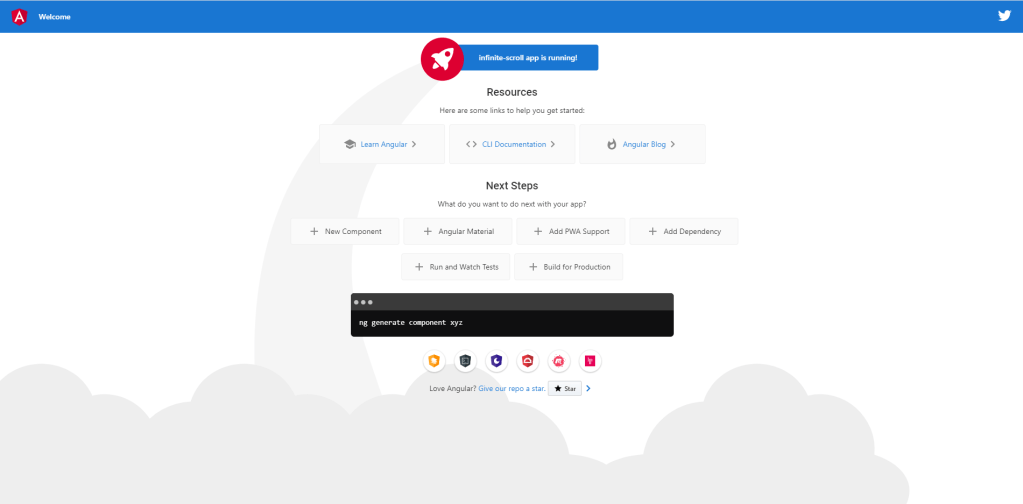
We’ll replace the current HTML with a simple Material toolbar:
app.component.html
<mat-toolbar color="primary">My GIFs</mat-toolbar>
And of course, we’ll import the Material Toolbar module as we do with all our Material components:
app.module.ts
import { MatToolbarModule } from '@angular/material/toolbar';
...
@NgModule({
...
  imports: [
    BrowserModule,
    BrowserAnimationsModule,
    MatToolbarModule
  ],
Okay, so all we have right now is a very simple toolbar in our browser:

Alright, now it’s time to set up our project to use the Giphy API. In order to do that we’re going to need a private key . Head over to the developer site:
https://developers.giphy.com/docs/api/#quick-start-guide
Click the “Create an App” button:
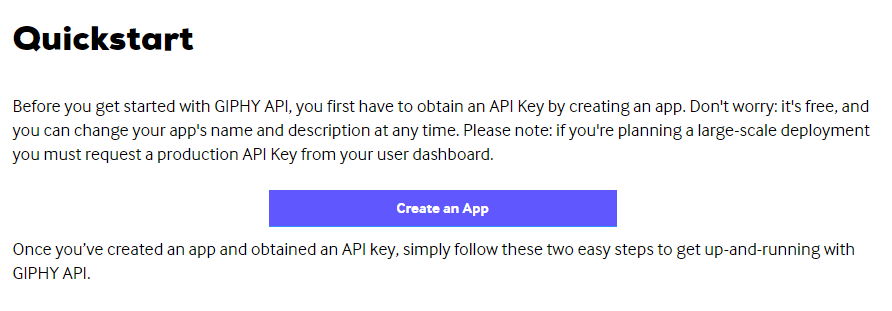
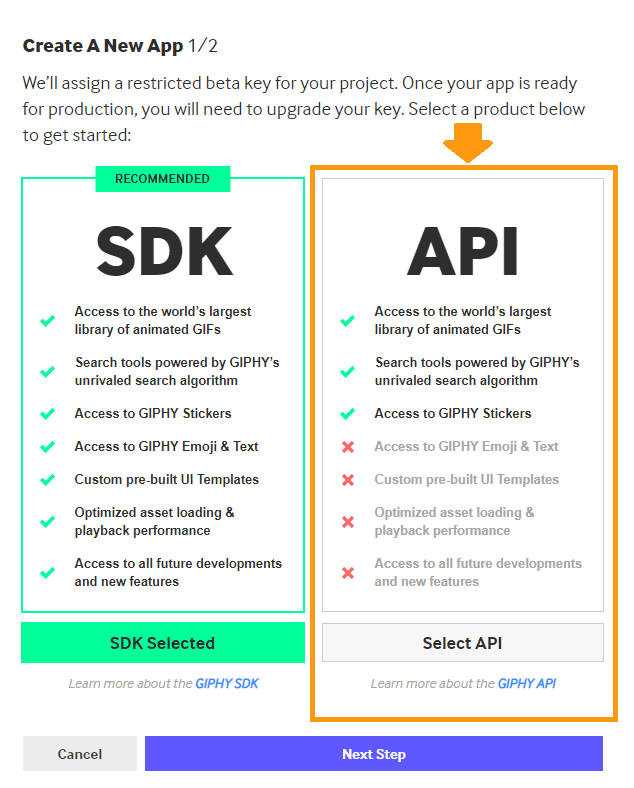
Select the basic API option since we don’t need the SDK:
Now we’ll just fill in the name and description and click “Create App”:
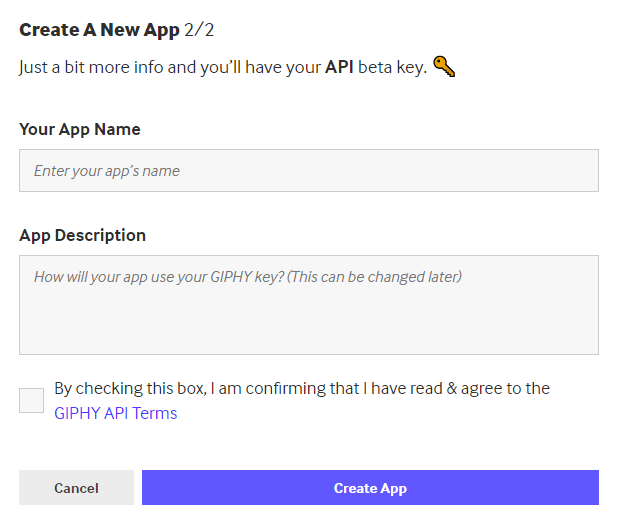
Congratulations!! Now you have your very own beta API key! 😀
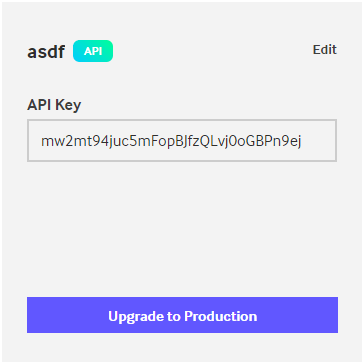
Now we’ll go back to our Angular app and create a service that implements the Search endpoint. Create a new service with the CLI tool:
ng g s gif
This will generate a service called gif-service which will include a function to call an endpoint that will fetch GIFs. For this we use the HttpClient service provided by Angular:
gif.service.ts
import { HttpClient } from '@angular/common/http';
import { Injectable } from '@angular/core';
import { Observable } from 'rxjs';

const API_KEY = 'mw2mt94juc5mFopBJfzQLvj0oGBPn9ej'; // Giphy API key

@Injectable({
  providedIn: 'root'
})
export class GifService {

  constructor(private http: HttpClient) { }

  public fetchGifs(query: string): Observable<any> {
    return this.http.get(
        `http://api.giphy.com/v1/gifs/search` // Basic endpoint
        + `?q=${query}`                       // Search word(s)
        + `&api_key=${API_KEY}`               // Giphy API key
        + `&limit=12`);                       // Load 12 GIFs
  }
}
Now we’ll inject our service into our component so we can load some GIFs and display them in a waterfall-like fashion (app.component.ts):
app.component.ts
import { Component } from '@angular/core';
import { GifService } from './gif.service';

@Component({
  selector: 'app-root',
  templateUrl: './app.component.html',
  styleUrls: ['./app.component.scss']
})
export class AppComponent {

  public gifs: any[];
  public query: string;

  constructor(private gifService: GifService) { }

  public searchGifs(query: string): void {
    this.gifService.fetchGifs(query).subscribe((gifs) => {
      this.gifs = gifs.data;
    });
  }
}
We made a basic function called searchGifs() that uses the injected Gif Service and accepts a search query as an argument. We subscribe to the service and receive an array of GIFs which we store in our gifs array.
In our template we’ll create an input and search button. The input component is bound to our search term with [(ngModel)]. We trigger the searchGifs() method by clicking on the button. Our *ngFor directive loops through the resulting gif array.
app.component.html
<mat-toolbar color="primary">My GIFs</mat-toolbar>
<div class="waterfall">
    <div class="search">
        <mat-form-field>
            <mat-label>Search GIFs</mat-label>
            <input matInput
                   type="text"
                   [(ngModel)]="query">
        </mat-form-field>
        <button mat-raised-button
                color="accent"
                (click)="searchGifs(query)">
                Search
        </button>
    </div>
    <img class="mat-elevation-z12"
        *ngFor="let gif of displayedGifs;"
        src="{{gif?.images.fixed_width.url}}">
</div>
Add some style to our template:
app.component.scss
.waterfall {
  margin: 2rem;
  display: flex;
  flex-wrap: wrap;
  & img {
    margin: 1rem;
    position: relative;
    border-radius: 4px;
  }
  & .search {
    display: flex;
    width: 100%;
    & mat-form-field {
      width: 100%;
    }
    & button {
      margin: auto 1rem;
    }
  }
}
…and we’ll update the imports in our module file. The new modules include the HttpClientModule for our Giphy endpoint GET request in our service, the FormsModule and ReactFormsModule for our input, and the Material modules for our template components:
app.module.ts
@NgModule({
...
    imports: [
    ...
    HttpClientModule,
    FormsModule,
    ReactiveFormsModule,
    MatFormFieldModule,
    MatInputModule,
    MatButtonModule
  ]
And now the final step: infinite scrolling. Our plan is to fetch 100 GIFs and store them in an array, display 20 GIFs upon the initial load, and asynchronously load more and more as we scroll to the bottom of the page until all 100 GIFs have been loaded.
Head over to the Angular Infinite Scroll npm page:
https://www.npmjs.com/package/ngx-infinite-scroll
Download the library in the terminal:
npm install ngx-infinite-scroll --save
Add the library’s module to our imports:
app.module.ts
import { InfiniteScrollModule } from 'ngx-infinite-scroll';
...
@NgModule({
...
    imports: [
    ...
    InfiniteScrollModule
  ]
Now we’ll add the infiniteScroll directive and a few other inputs to our waterfall container. The [infiniteScrollDistance]=10 means that new content will be loaded when we reach the 10% bottom percentage point of the screen (i.e. scrolled 90% of the way down). We also have the (scrolled) output tied to an onScroll() function, which will determine the action performed when we scroll to the bottom. We’ll also adjust the *ngFor directive to loop through displayGifs instead of the old gifs array:
app.component.html
<mat-toolbar color="primary">My GIFs</mat-toolbar>
<div class="waterfall"
     infiniteScroll
     [infiniteScrollDistance]="10"
     (scrolled)="onScroll()">
    <div class="search">
        <mat-form-field>
            <mat-label>Search GIFs</mat-label>
            <input matInput
                   type="text"
                   [(ngModel)]="query">
        </mat-form-field>
        <button mat-raised-button
                color="accent"
                (click)="searchGifs(query)">
                Search
        </button>
    </div>
    <img class="mat-elevation-z12"
        *ngFor="let gif of displayedGifs;"
        src="{{gif?.images.fixed_width.url}}">
</div>
Ok, we will now adjust the logic to make our infinite scroll work. First, we will get rid of our first gifs array and create two new arrays called totalGifs and displayedGifs. We will load 100 GIFs and store them in totalGifs. The searchGifs() function gets all the GIFs but only shows the first 20. We see in our onScroll() function that we will add 20 more GIFs to our display area until all 100 are shown:
app.component.ts
...
export class AppComponent {

  public totalGifs: any[];       // All the GIFs we loaded
  public displayedGifs: any[];   // The GIFs to be displayed
  public query: string;          // The search term
  public loadAmount = 20;        // The number of GIFs displayed

  constructor(private gifService: GifService) { }

  public searchGifs(query: string): void {
    this.gifService.fetchGifs(query)
      .subscribe((gifs) => {
         this.loadAmount = 20;  // Reset to 20 on each new search
         this.totalGifs = gifs.data;
         this.displayedGifs = gifs.data.slice(0, this.loadAmount);
    });
  }

  public onScroll(): void {
    if (this.displayedGifs.length !== this.totalGifs.length) {
      this.loadAmount += 20;
      this.displayedGifs = this.totalGifs.slice(0, this.loadAmount);
    }
  }
}
Let’s update the Gif Service to fetch 100 GIFs:
gif.service.ts
import { HttpClient } from '@angular/common/http';
import { Injectable } from '@angular/core';
import { Observable } from 'rxjs';

const API_KEY = 'mw2mt94juc5mFopBJfzQLvj0oGBPn9ej';

@Injectable({
  providedIn: 'root'
})
export class GifService {

  public limit = 100;

  constructor(private http: HttpClient) { }

  public fetchGifs(query: string): Observable<any> {
    return this.http.get(
           `http://api.giphy.com/v1/gifs/search
           ?q=${query}
           &api_key=${API_KEY}
           &limit=${this.limit}`);
  }
}
And we’re done! Check the browser to see the final result:






 The Computer Chick