

Hi,
To this day, the primary topic of this blog has been Angular tutorials. Today we will try something different: Vue. Like Angular, Vue is a JavaScript-based frontend framework that allows us to structure and build scalable applications with lots of capabilities that work right out of the box:
We will do a very simple task today. Let’s install and set up Vue.
Let’s go!
Procedure
First let’s make sure we have the latest Node and npm installed on our system. Download them here:
- Node: https://nodejs.org/
- npm: https://www.npmjs.com/
We will use Vue CLI to create our project. Install the CLI:
npm install -g @vue/cli
Confirm that Vue has been installed by checking the version:
vue --version
Now we’ll go ahead and create our first Vue project:
vue create hello-world
Here we can choose the version of Vue. Let’s choose Vue 2:
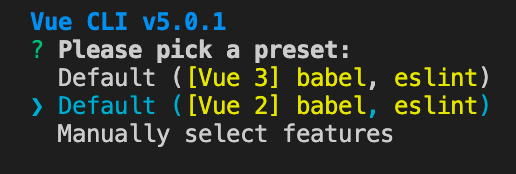
Once the creation process is finished, we will enter our newly-created project directory:
cd hello-world
Start the local development server:
npm run serve
Finally, open the browser and enter localhost:8080 as the URL:
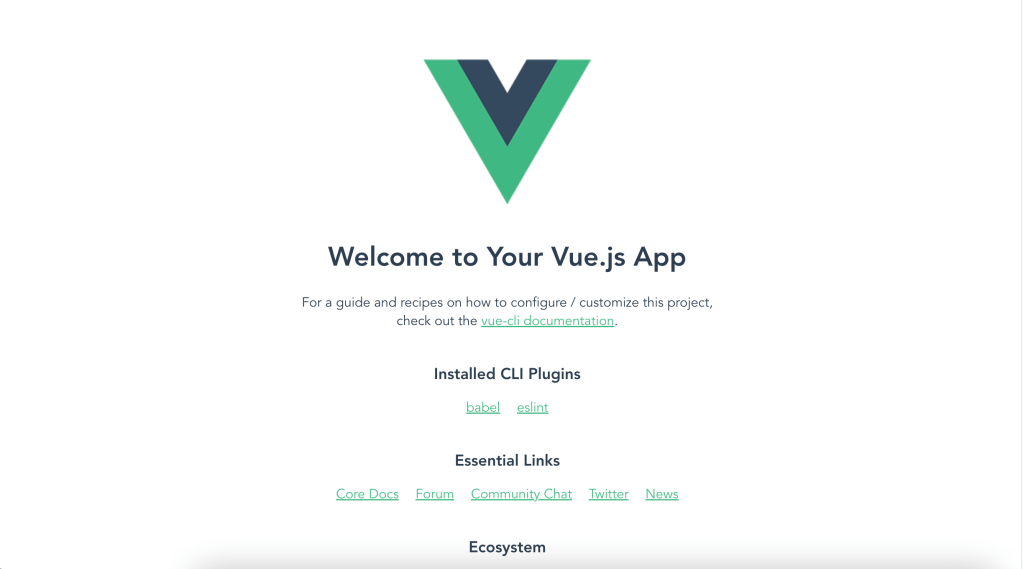
That’s it! I hope this made the beginning process of setting up a Vue project easier. Happy coding!





 The Computer Chick