

For those who would like to dive into the world of back-end software development, learning Node.js is a great place to start. Node.js is an open-source, cross-platform JavaScript runtime environment that allows developers to execute JavaScript code on the server side. Built on Chrome’s V8 JavaScript engine, Node.js enables the development of scalable network applications.
Today we’re going to install Node.js and display “Hello World” text in the browser. Let’s get started!
Procedure
First, open a bash command shell to create the project directory:
mkdir node-project
Now enter the newly-created directory:
cd node-project
Create a new folder called hello-world.js with the touch command:
touch hello-world.js
We will add some content to this file:
hello-world.js
const http = require('node:http');

const hostname = '127.0.0.1';
const port = 3000;

const server = http.createServer((req, res) => {
  res.statusCode = 200;
  res.setHeader('Content-Type', 'text/plain');
  res.end('Hello, World!\n');
});

server.listen(port, hostname, () => {
  console.log(`Server running at http://${hostname}:${port}/`);
});
Then, save the file and run the server:
node hello-world.js
Finally, open the browser to http://127.0.0.1:3000/ and see the result:
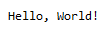
Now that we know how easy it is to get started with Node.js, we can delve into more back-end projects of greater complexity in the future. I hope this post serves as a helpful guide to begin using Node.js.

 The Computer Chick