
Today we’ll learn about Angular’s OnPush change detection. This is a change detection strategy which allows us to update our application in a modular, performance-saving way. Instead of checking every component and re-rendering the entire DOM when something changes, OnPush only updates the component we WANT when it emits an event or if one of its inputs change.
Today we’re going to implement a simple application featuring an OnPush component.
Since we can’t go out to restaurants in these troubling times, let’s make a food conveyor belt that will bring the food right to our doorstep.
Skill Prerequisites
- Fundamental HTML and CSS/SCSS knowledge
- Experience with Angular 2+ and TypeScript
Procedure
We need Node and npm. Grab them here:
- Node: https://nodejs.org/
- npm: https://www.npmjs.com/
Set up the Angular project by installing the Angular CLI tool:
npm install -g @angular/cli
Create a new project:
ng new conveyor-belt
Go inside the project directory:
cd conveyor-belt
Spin up the local development server:
ng serve
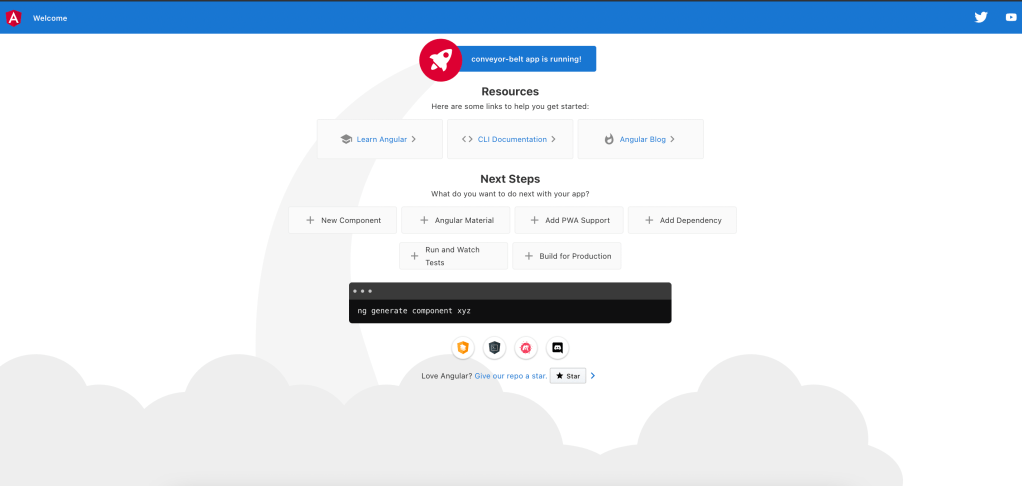
Check localhost:4200 in your browser:
We’ll have a main view featuring the menu of food we can order, and a details view that contains the conveyor belt itself. When we click on a menu item, the selection will be added to the belt.
First, the menu:
app.component.ts
import { Component } from '@angular/core';

export interface Item {
  name: string;
  emoji: string;
}

@Component({
  selector: 'app-root',
  templateUrl: './app.component.html',
  styleUrls: ['./app.component.scss']
})
export class AppComponent {

  public order: Item[] = [];
  public items: Item[] = [
    { "name": "sushi", "emoji": "🍣" },
    { "name": "soup", "emoji": "🍜" },
    { "name": "burger", "emoji": "🍔" },
    { "name": "pizza", "emoji": "🍕" },
    { "name": "ice cream", "emoji": "🍨" },
    { "name": "shrimp", "emoji": "🍤" },
    { "name": "chicken", "emoji": "🍗" }
  ]

  constructor() { }

  public orderItem(item: Item): void {
    this.order = [...this.order, item];
  }
}
We have our array of menu items called “items” and our array of ordered items called “order”. The “orderItem()” function adds a new item to our order and we’ll see it on our conveyor belt.
app.component.html
<div class="container">
  <div>
    <div *ngFor="let item of items" class="item"
         (click)="orderItem(item)">
      {{item.emoji}} {{item.name}}
    </div>
  </div>
  <app-detail [order]="order"></app-detail>
</div>
app.component.scss
.container {
    display: flex;
  }

  .item {
    background: ghostwhite;
    cursor: pointer;
    padding: 0.5rem;
    width: 100px;
    margin: 2px;

    &:hover {
      background: bisque;
    }
  }

  .menu-button {
    border: none;
    border-radius: 2px;
    background: coral;
    color: white;
    height: 30px;
    margin: 2px;
    cursor: pointer;
    &:hover{
      background: indianred;
    }
  }
Now we’ll generate the details component using angular-cli’s shorthand command:
ng g c detail
Here we’ll add our conveyor belt:
detail.component.ts
import {
  ChangeDetectionStrategy,
  Component,
  Input
} from '@angular/core';

import { Item } from '../app.component';

@Component({
  selector: 'app-detail',
  templateUrl: './detail.component.html',
  styleUrls: ['./detail.component.scss'],
  changeDetection: ChangeDetectionStrategy.OnPush
})
export class DetailComponent {

  @Input() order: Item[];
}
The details component receives the “order” variable as an input from the parent component. In the component metadata, we’ll specify the changeDetection parameter as ChangeDetectionStrategy.OnPush. This means that when we add a new item, only the details view will be updated, not the entire application.
Add the rest of the details code:
detail.component.html
<div class="conveyor">
    <div *ngFor="let item of order" class="item">
        {{ item.emoji }}
    </div>
</div>
detail.component.scss
.conveyor {
    width: 70vw;
    position: relative;

    & .item {
        position: absolute;
        font-size: 120px;
        animation: move 5s linear infinite;
    }
}

@keyframes move {
    from {
        left: 0;
    }

    to {
        left: 90%;
    }
}
And here will be the final result:
Angular Logo Icon by Jagathish Saravanan on Iconscout




 The Computer Chick